
Business Central, Let’s talk.
The global search option in Business Central is called “Tell Me” and it helps users triangulate on what they need from the application. I think users should utilize the “Advanced Search” feature now because it’s better, easier and relies on semantic search methods instead of simple, old-school keyword searching. This means you can have BC talk and interact with you on your terms.
Why BC's New Semantic "Tell Me" Search Is a GP User's Best Friend
If you came to Business Central from Dynamics GP and you've ever hit Alt + Q, typed what you know the thing is called, and gotten back a big fat nothing…you're not crazy. You typed the GP word. BC wanted the BC word. And so you did what we all do - you closed Tell Me and went clicking through the menus like it was GP on a Citrix session in 2009.
I've watched this exact moment of friction play out over and over again. I do it myself. It's one of the quiet little toggle taxes some users pay every single day in BC, and it chips away at adoption more than people realize. Well, Microsoft handed us the fix, and the best part is, it's ONE switch away.
Let's talk about why it's especially useful, why it matters for GP folks specifically, and why you should go turn it on in Business Central the minute you finish reading this.
What Actually Changed
The classic Tell Me you already know worked based on keyword matching - it looked for your exact text, and if your words didn't line up with what BC calls the page, you got crickets.
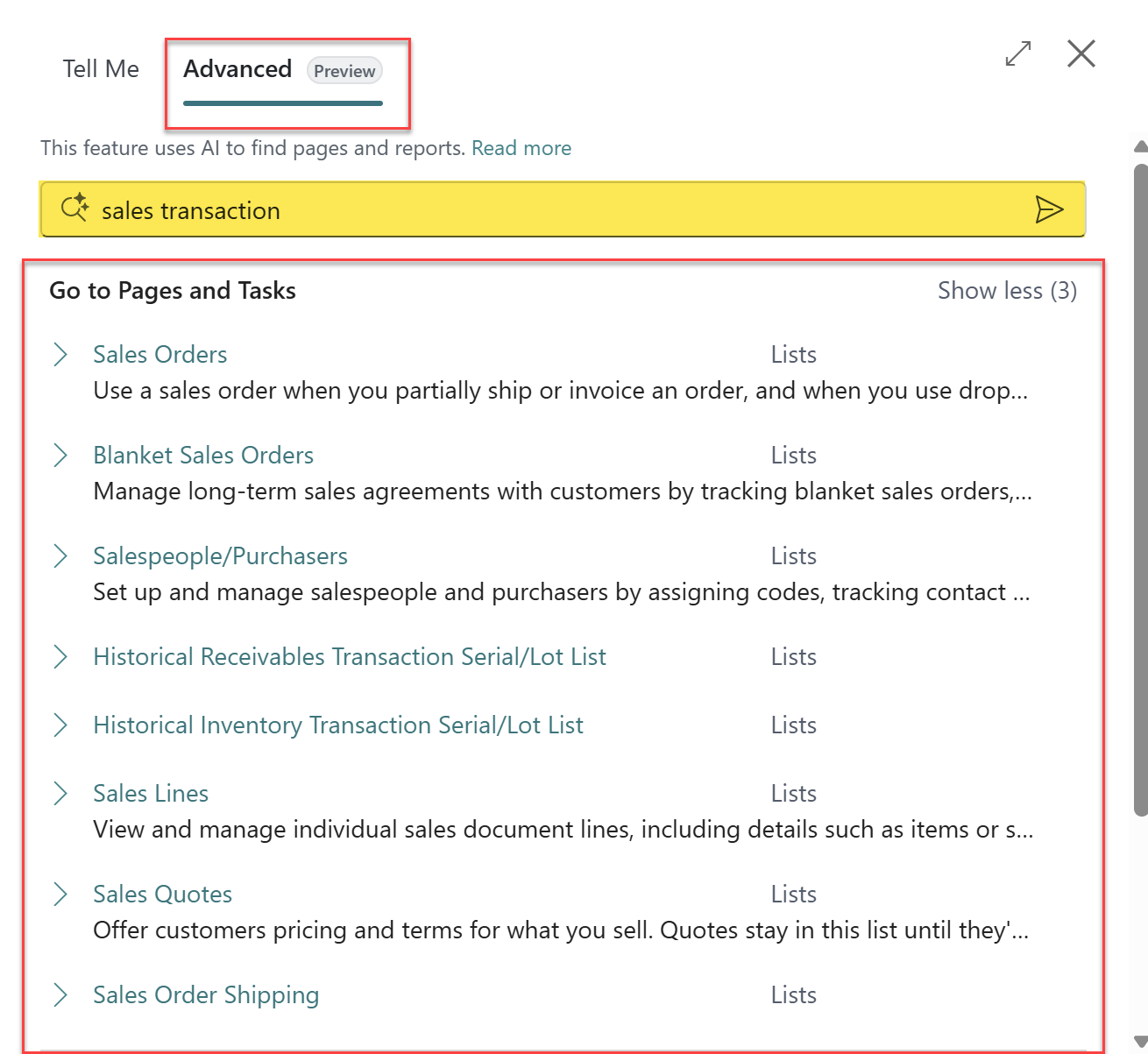
The new Advanced Search in Tell Me finds results based on semantic meaning - the intent behind your words, not just the literal characters. It weighs page properties, captions, and additional search terms to hand you an ordered list of what you actually meant.
You get to it two ways:
1) Hit Alt + Q and click the new Advanced tab,

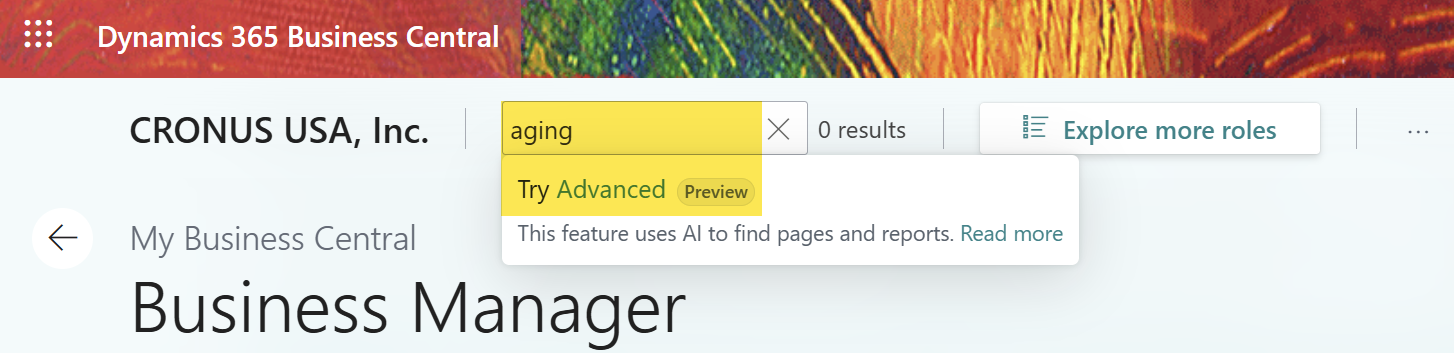
2) From the Role/Report Explorer type in the Find box and choose Try Advanced - your search terms carry right over.
The GP Search Mindset vs. the BC Search Mindset
Here's the reframe I keep coming back to, because it's the same story as Back Orders and so many other GP-to-BC moments.
In GP, you didn't really search - you navigated.
Transactions ▸ Financial ▸ General.
Inquiry ▸ Sales ▸ Receivables.
You had the menu tree memorized, and the words in your head were GP's words: "Receivables Aging," "PO," "Smartlist," "Check Run."
Business Central flips that. BC wants you to describe what you're trying to do and let the system take you there. And now, for the first time, it's actually good at understanding you - synonyms, alternate phrasing, and even those common BC abbreviations and acronyms all map to the right object. Microsoft didn't just eyeball this either; they validated it against 12,118 test cases, aiming to land your target in the top three results.
That creates the classic GP-to-BC moment:
GP user: "Where's my Receivables Aging report?"
Old Business Central Tell Me:…nothing useful.
BC calls it 'Aged Accounts Receivable.'
New Advanced Tell Me: "Right here. I knew what you meant."
Once it clicks, you stop translating GP-into-BC in your head and just…work.
Why This Is a Big Deal for GP Users Specifically
In all reality this feature helps everybody, but it's practically built for our crowd:
It speaks your old vocabulary.
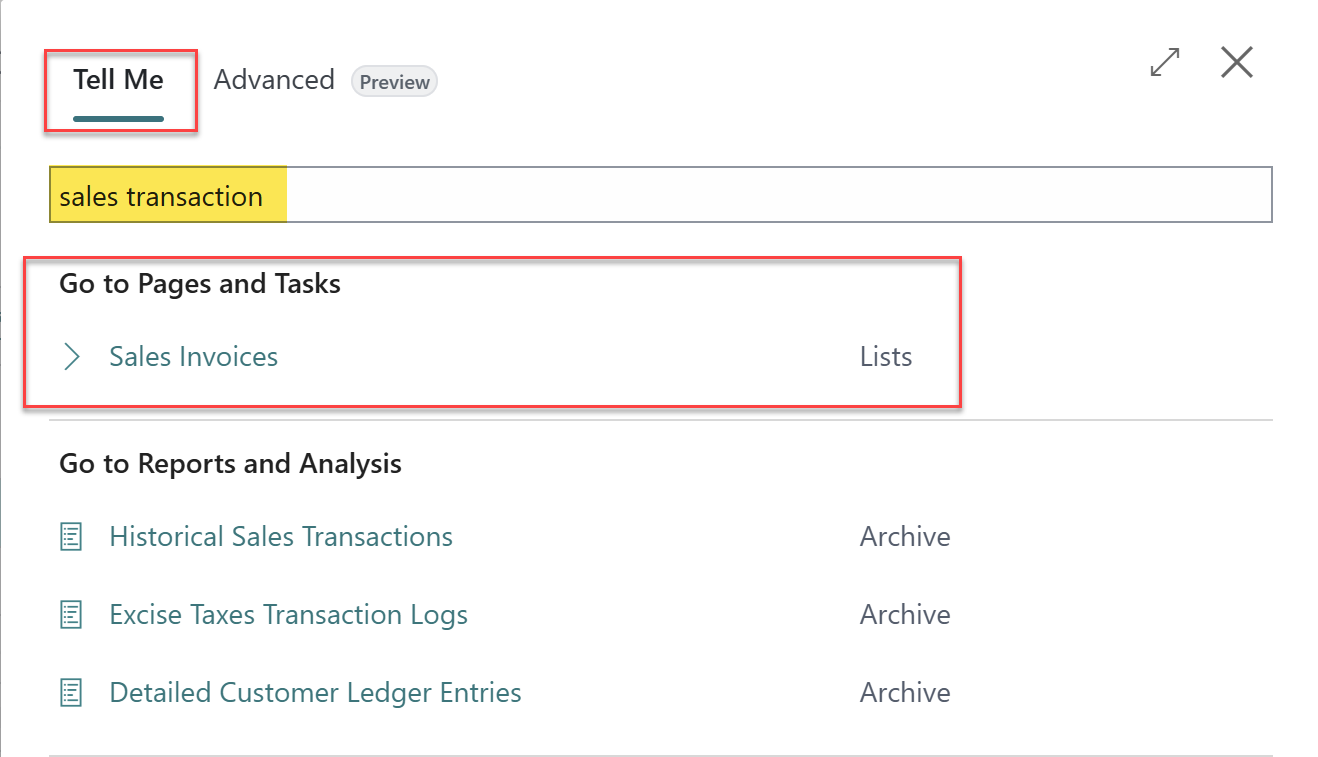
Type "sales transaction" and you'll get the sales related pages. The system understands intent, not just text.
Type “receive” and get a variety of viable options across the different modules and related pages that match.
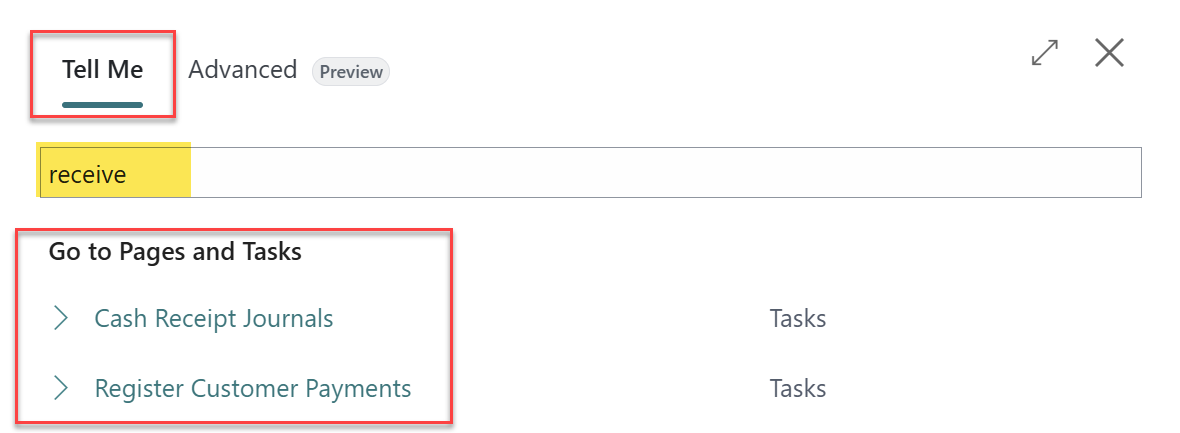
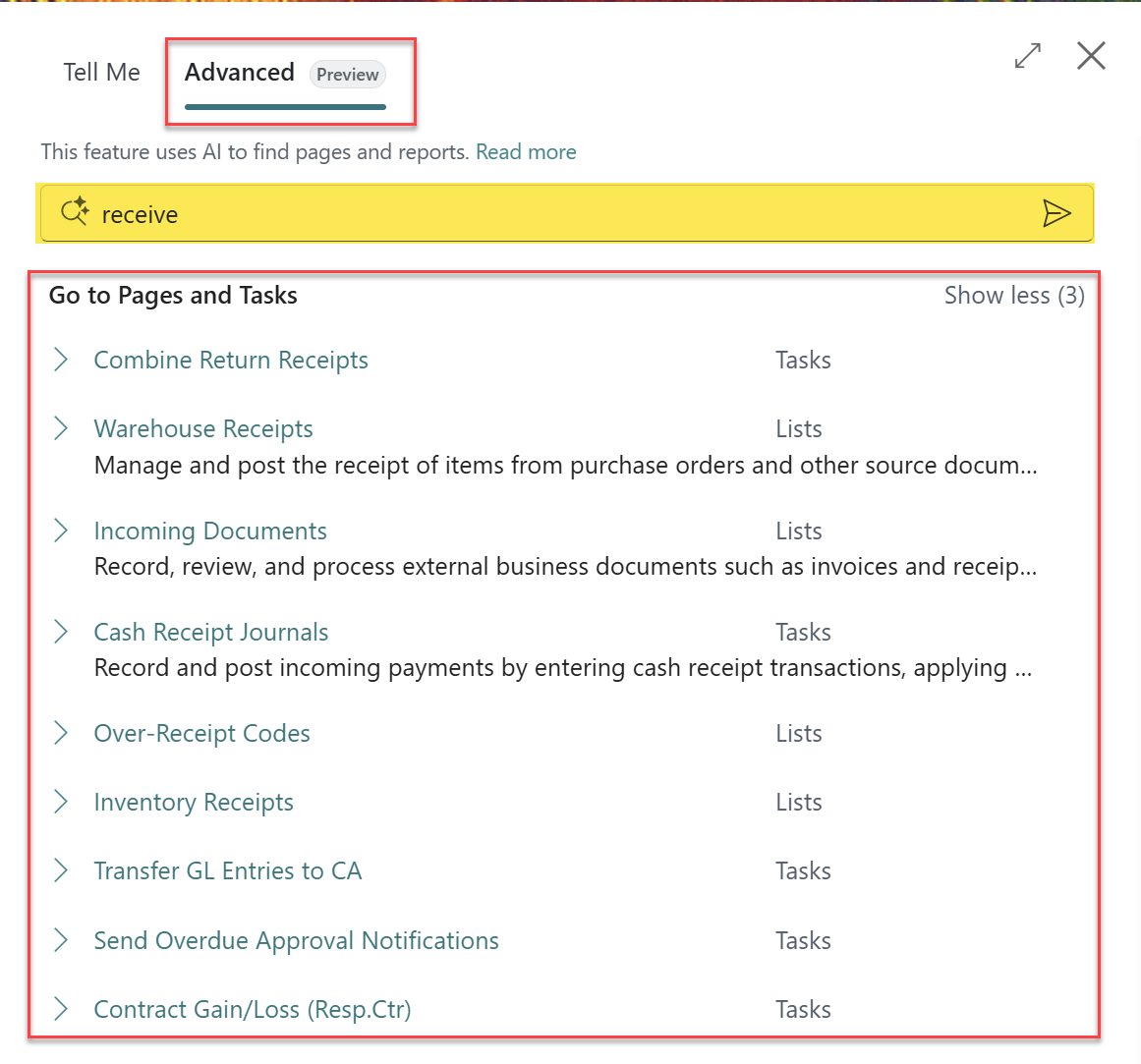
It forgives the acronyms. All those BC shorthand terms and abbreviations that trip up new users? Advanced Tell Me maps them to the real objects.
It's the great equalizer. This matters most for people who don't have the full BC vocabulary locked in yet - which is EXACTLY the GP user on day 1 of a new implementation.
It makes training easier. "Just describe what you want" is a far kinder instruction than "memorize the new name for all 400 pages." I can't overstate how much this lowers the on-ramp/learning time.
Here Are Some Go-To Real-World Use Cases
This is where I get excited, because these are the scenarios I see in the field every week:
The recovering GP user. Your AP clerk types "payment batch" instead of "Suggest Vendor Payments." Old Tell Me shrugged. Advanced Tell Me gets them there - and every one of those tiny wins compounds into faster adoption
The "I know it's a report…somewhere" hunt. Type "sales" and you get an intelligent, ordered split of pages AND reports Sales Orders, Sales Quotes, Salesperson – Sales Statistics, Customer Sales Statistics - instead of a flat, literal list.
The cross-module wanderer. Your controller lives in Finance but suddenly needs something over in Inventory or Jobs. They don't know the exact caption - so they can just describe it, and BC bridges the gap.
The consultant's demo save. We've all been mid-demo, blanked on the exact page name, and started sweating. Describe it, let Advanced Tell Me find it, keep the momentum. (You're welcome! 😊)
Why You Have to Turn It On - and How
Here's the catch: in a lot of environments this isn't just magically on. You enable it in Feature Management, and the switch is labeled "Feature: Advanced Tell Me".

The whole thing takes about a minute:
Hit Alt + Q and search Feature Management (yes - use the very tool we're talking about).
Find "Feature: Advanced Tell Me**
Set it to All Users.
Sign out and sign back in so it takes effect.
Two supplemental caveats so nobody's surprised: it's BC online only, and today it's validated in English - other languages may return weaker results for now. And note this searches for pages, reports, and queries - it is NOT searching your business DATA (records and transactions). Different tool, different job.
The Bottom Line
This is that rare combination I like to find in new BC features - high impact, ultimate flexibility, near-zero risk, and about sixty seconds of effort. There's no data to migrate, nothing to configure, and Microsoft is openly telling us to switch it on. Every day it sits off, your team is paying that little "menu toggle tax" and losing search results they should already have.
I’m grateful should this experience or these insights be helpful to you on your journey…until next post!